
Rotolo74
-
Postów
80 -
Dołączył
-
Ostatnia wizyta
-
Wygrane w rankingu
3
Treść opublikowana przez Rotolo74
-
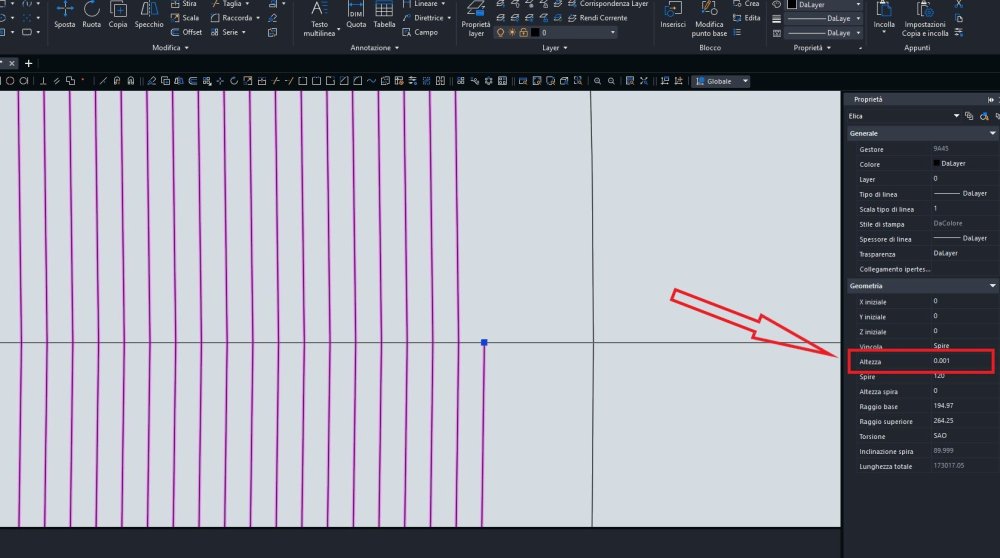
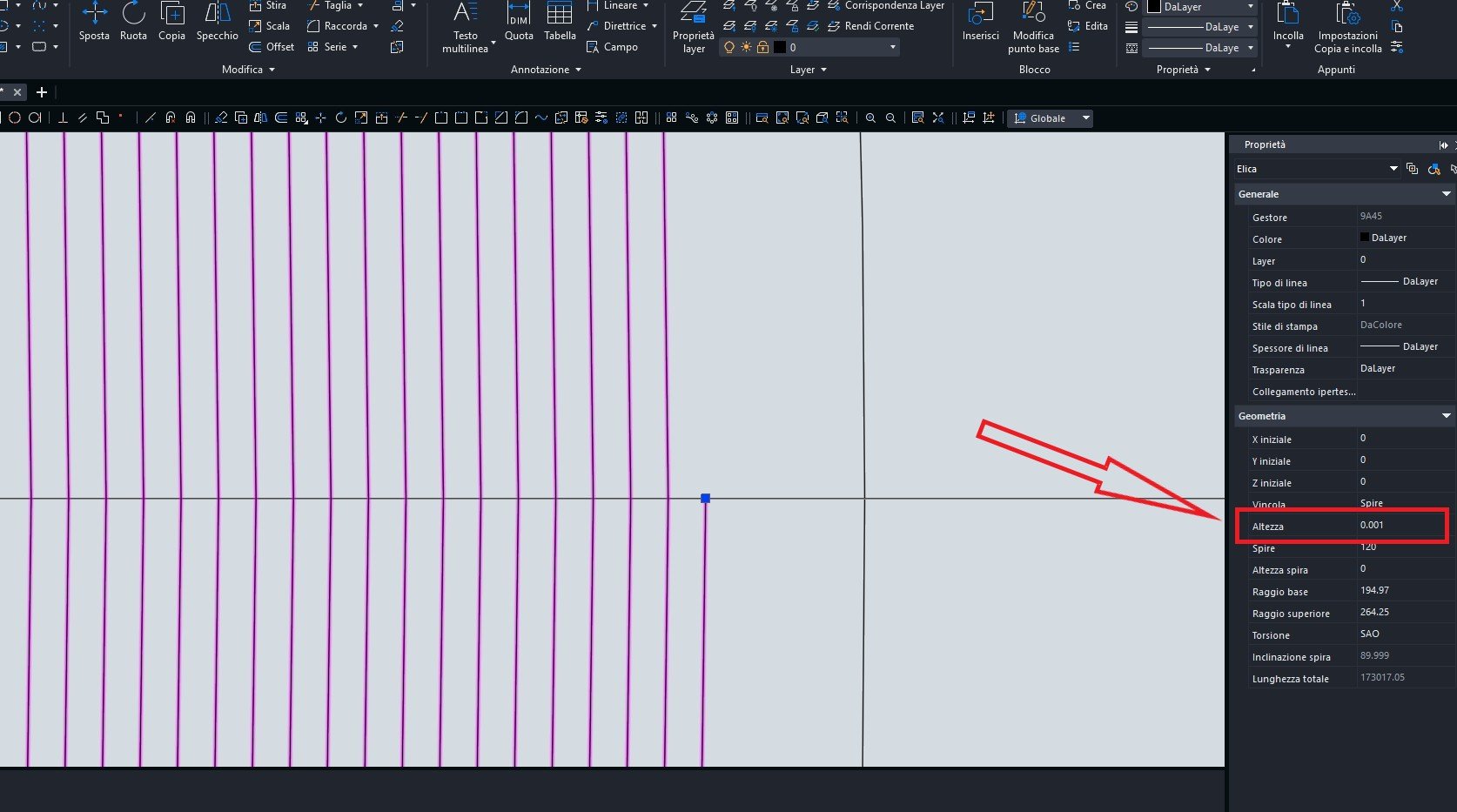
Thanks to both of you, I figured out what the problem was... basically, the list I had created wasn't perfectly developed on the 2D plane, so it didn't give me the option to convert... when I set the height value to 0, it worked. Thanks everyone. Bye bye
-
I probably didn't understand correctly, but I don't see the Fit option in the screenshot I attached... Could you make me a short video? Thanks
.thumb.png.acdf29f27f01f527e3453e3eeb54825e.png)
-
Hi everyone, I drew a flat helix and I'd like to convert it into many tangent arcs. Converting it to a polyline turns it into many joined line segments, which doesn't work.
-
Previsione del comando trim
Rotolo74 odpowiedział(a) na Roberto74 temat w ZWCAD Standard i Professional
Grazie ! -
Perfetto ! Ora funziona ! Grazie ! Ciao ciao
-
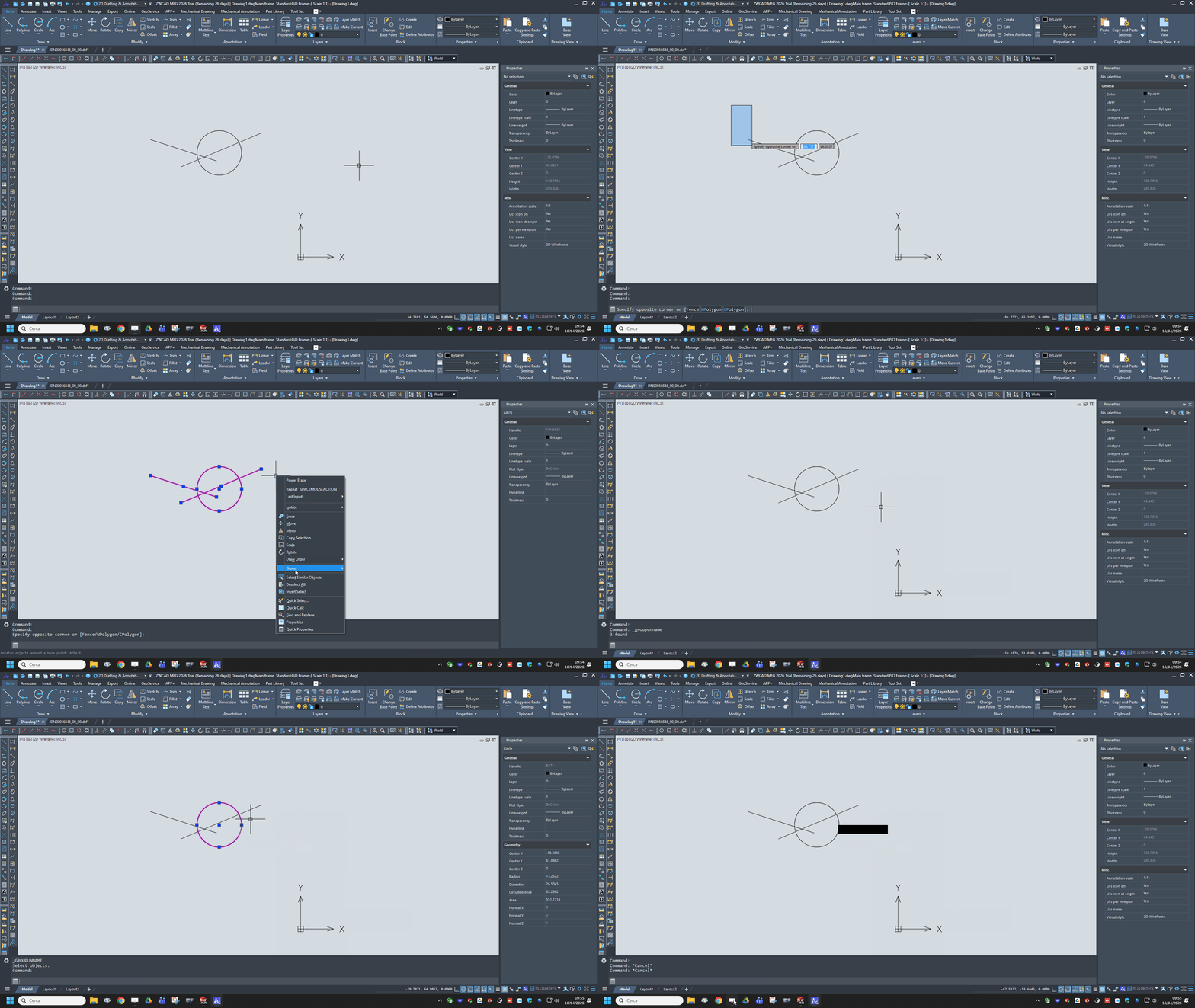
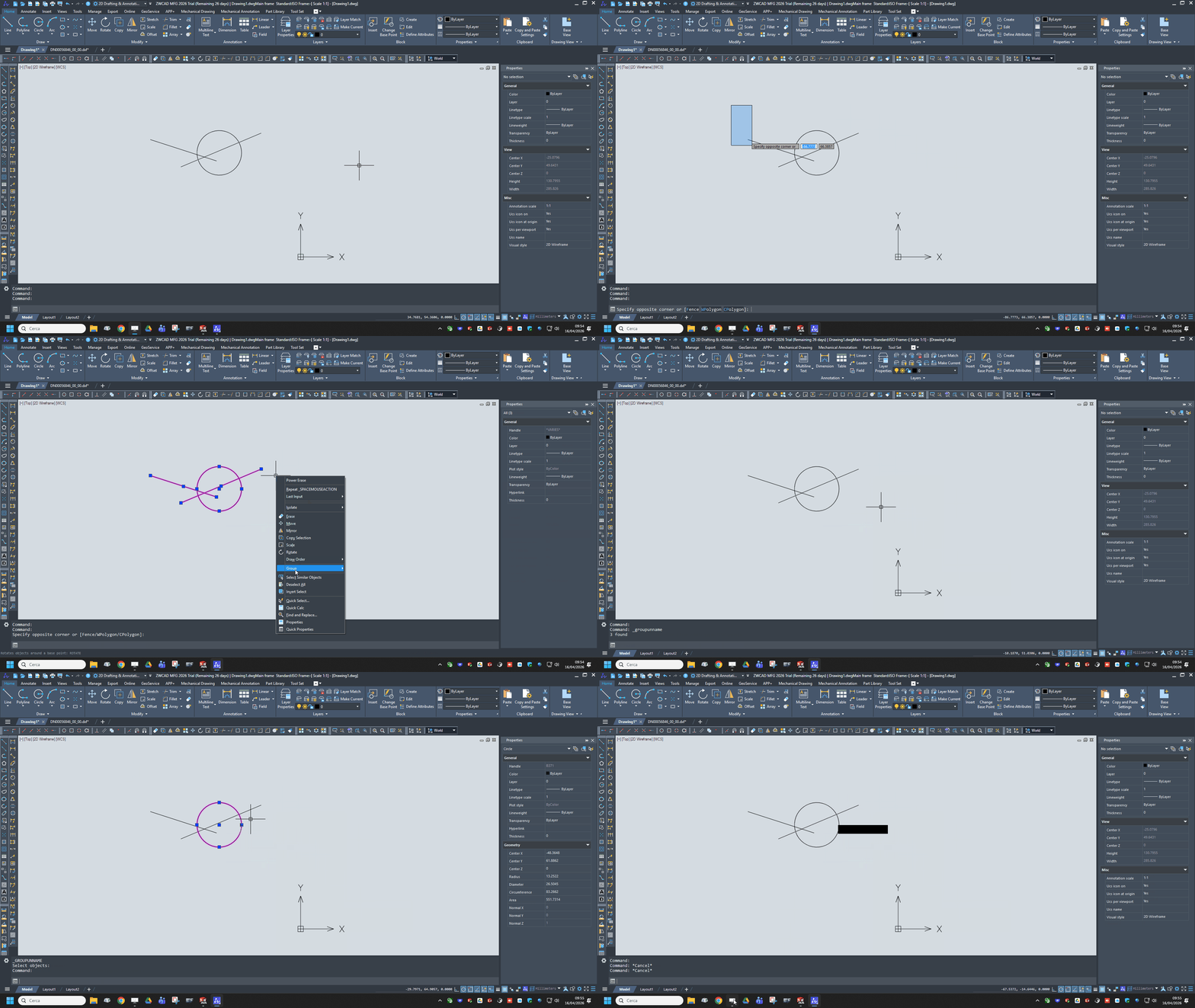
Se inserisco nella barra di comando "_group" , quando faccio invio , mi esce una tabella di compilazione mentre invece se seleziono tutti gli oggetti poi tasto dx e group non succede nulla ...... gli elementi risultano sempre divisi
-
Scusate il carattere precedente , è venuto involontariamente
-
Hi everyone, Is there a quick way to group objects without assigning a name?
-
Selezione di entità tangenti
Rotolo74 odpowiedział(a) na Rotolo74 temat w ZWCAD Standard i Professional
Ciao RobS , ho notato che il LISP che mi hai mandato seleziona tutte le entità che in qualche modo si toccano , anche se si intersecano ........ Si riuscirà a trovare qualcosa che selezioni solamente le entità tangenti che mantengono una certa continuità tra loro ? Grazie Scusami ancora per il disturbo -
Selezione di entità tangenti
Rotolo74 odpowiedział(a) na Rotolo74 temat w ZWCAD Standard i Professional
Perfetto !! Funziona ! Grazie 1000 ! -
Selezione di entità tangenti
Rotolo74 odpowiedział(a) na Rotolo74 temat w ZWCAD Standard i Professional
Funziona però seleziona in automatico soltanto solo i due elementi collegati a quello selezionato, in pratica seleziona non tutto il profilo tangente ma solo le code dell'elemento -
Selezione di entità tangenti
Rotolo74 odpowiedział(a) na Rotolo74 temat w ZWCAD Standard i Professional
Intendo , tanti spezzoni linea - arco tangenti ....... Tipo per intenderci lo sviluppo di un profilo camma in modo che selezionando una sola entità , in automatico il software riconosca tutti gli elementi collegati e tangenti . Come con un CAM per intenderci -
Ciao a tutti , esiste un file LISP che mi selezioni le entità tangenti in un profilo ? In modo che selezionato un elemento di un profilo , in automatico mi selezioni tutte le entità ( rette e archi ) tangenti . Grazie Saluti
-
Profilo non selezionabile
Rotolo74 odpowiedział(a) na Rotolo74 temat w ZWCAD Standard i Professional
Thanks to the availability -
Profilo non selezionabile
Rotolo74 odpowiedział(a) na Rotolo74 temat w ZWCAD Standard i Professional
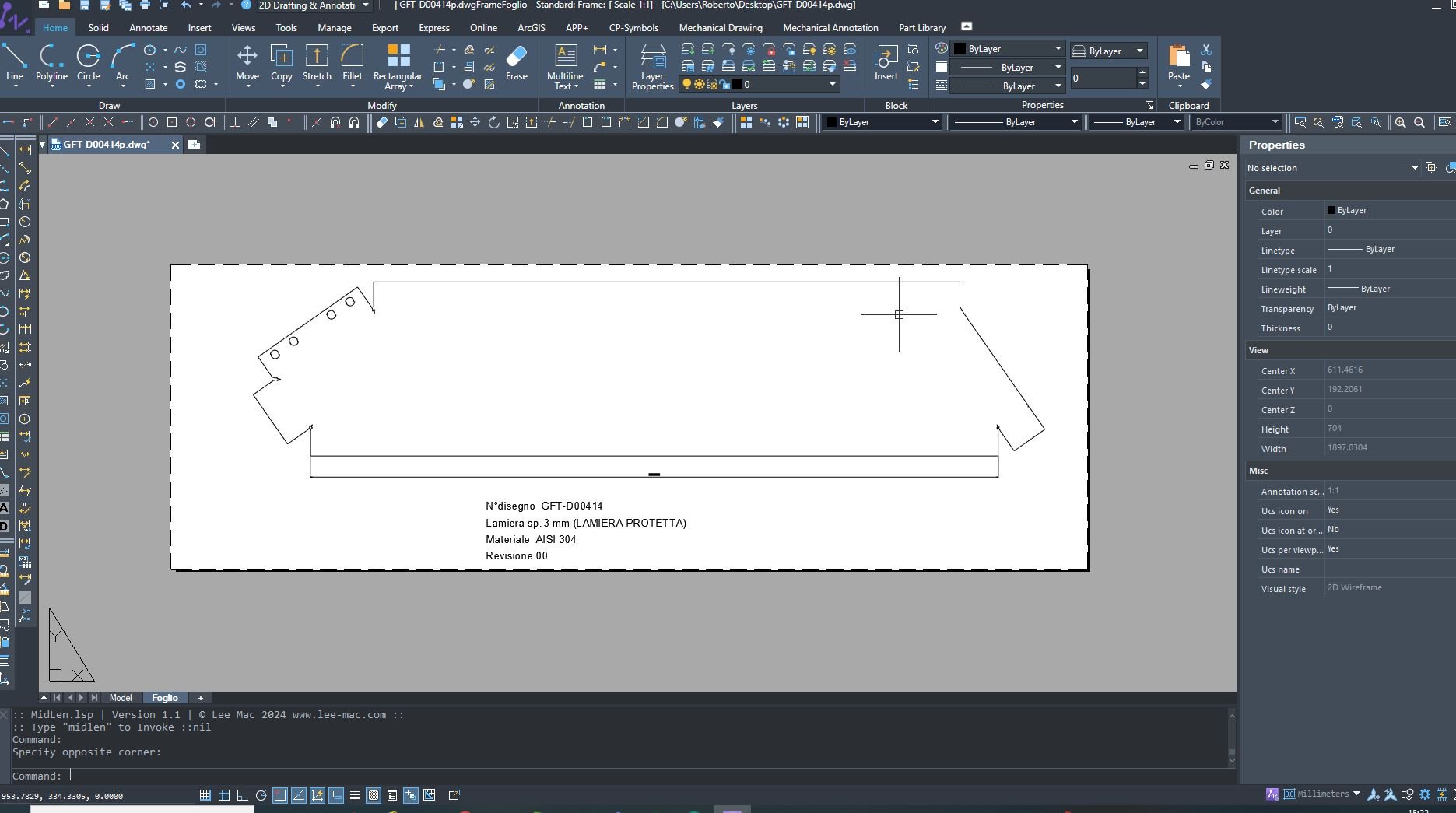
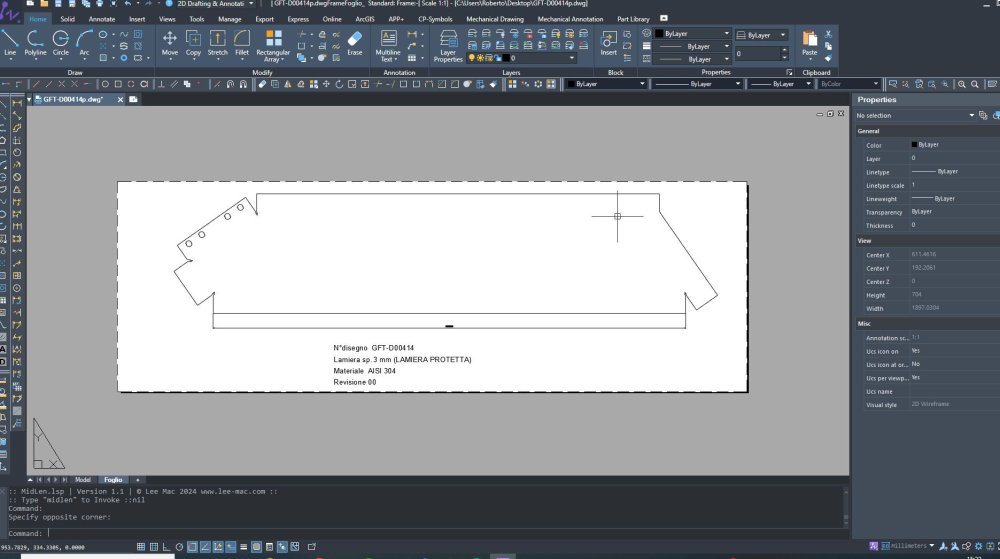
When I opened the drawing it appeared as a non-selectable profile on the sheet, I didn't think that by going to blocks I would find it..... in this way I was also able to view it in the model. Thank you HI -
Ciao a tutti , mi hanno inviato un file DWG e mi si apre in questo modo ..... non riesco a selezionarlo per estrarre il mio profilo ... Come posso fare ?? Grazie
-
Thank You !
-
Good evening everyone, is it possible with zwcad to insert automatic numbering at the click of the mouse? Perhaps by inserting a macro. ? Can someone help me ?
-
Thank You
-
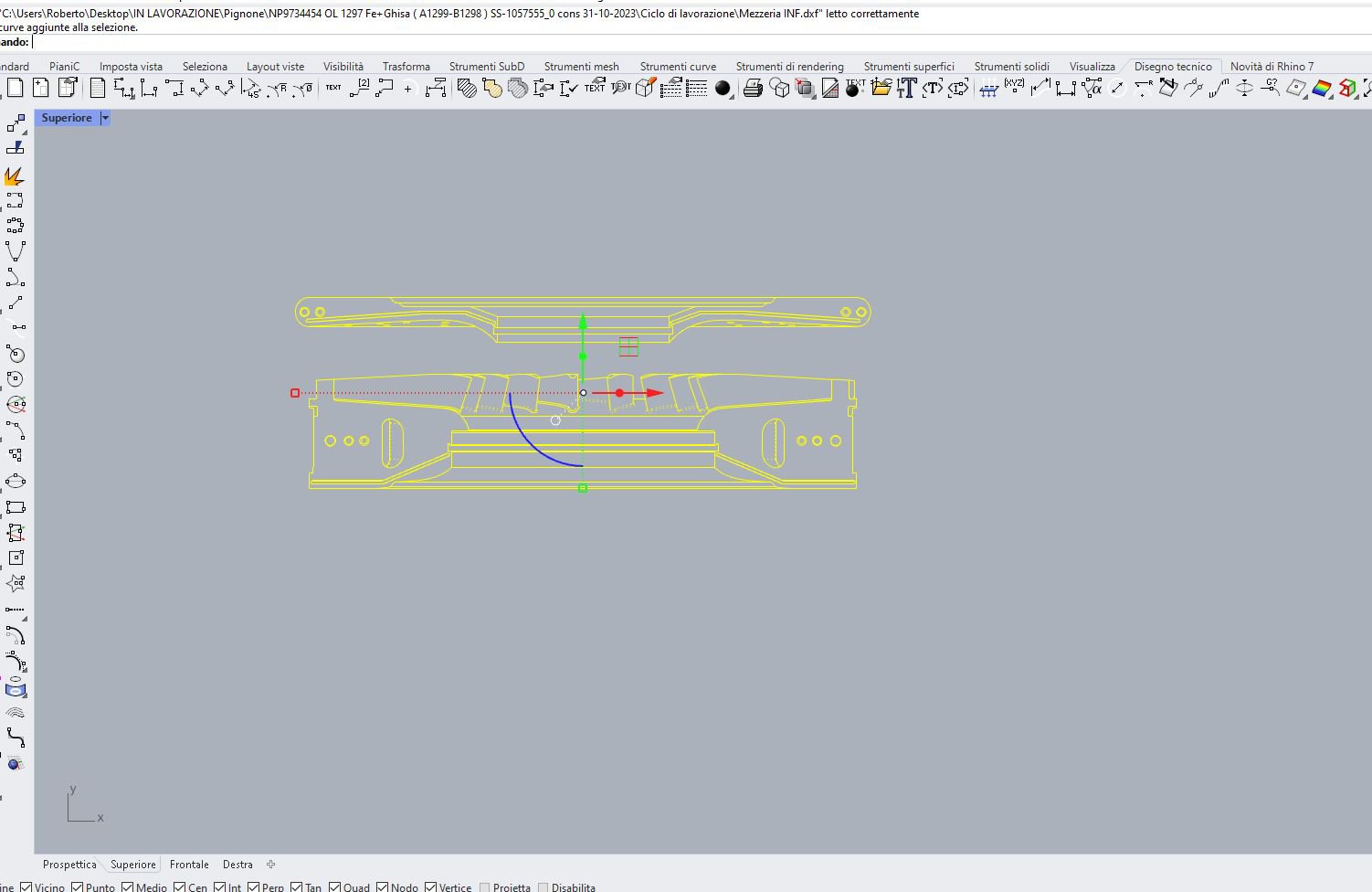
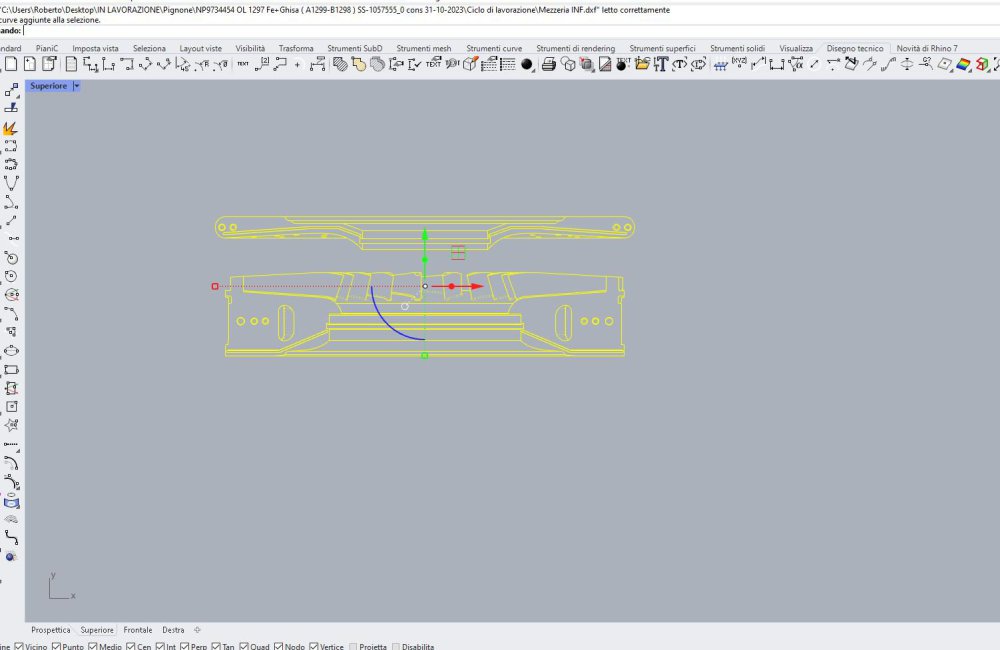
Good evening everyone, I wanted to ask you ZWCad experts if it is possible to create a tool with a very convenient function for linear, rotational and even copying of objects, all objects included in the selection. I use it in Rhinoceros and it's called Gumball, see attached photo, it's like a big cursor that appears in front of the selected objects and gives me the possibility to select the direction and value of the movement; it becomes very practical and fast in drawing.
-
Problem whit the "Enhanced Ordinate Dimension" [Solved]
Rotolo74 odpowiedział(a) na Rotolo74 temat w ZWCAD Standard i Professional
Grazie !! -
Problem whit the "Enhanced Ordinate Dimension" [Solved]
Rotolo74 odpowiedział(a) na Rotolo74 temat w ZWCAD Standard i Professional
Can you send me the script please? -
Problem whit the "Enhanced Ordinate Dimension" [Solved]
Rotolo74 odpowiedział(a) na Rotolo74 temat w ZWCAD Standard i Professional
In the 2023 version it worked correctly ....... I noticed that you select the options directly from the command bar .. how to set it I do it with the right mouse button -
Problem whit the "Enhanced Ordinate Dimension" [Solved]
Rotolo74 opublikował(a) temat w ZWCAD Standard i Professional
Hello everybody , I have a problem using ZWCad MFG 2024 , I have attached a short video to understand better. When I use the "Enhanced Ordinate Dimension" function, it happens that when I select the "Update" option, it doesn't give me the possibility to select the objects to modify but I attach the dimension automatically to the origin ... Anyone know what it could be? Thank you Quote.mp4 -
With most of the features, the icons are visible but some are not. Also "Angle Bisector Line " is not visible and I get bubble with question mark

.png.216c4a02829ce58339a17640522f2b58.png)